Scam With Your Friends Beginner Guide
Learn the fictional desktop, team quota, review clock, and first-workday loop in Scam With Your Friends, with clear limits on playtest and Early Access evidence.
Locate the team total, quota, and performance-review countdown before opening extra apps. Read the current tutorial, keep key feedback visible, and use the first workday to understand the loop. This guide covers a fictional game, not real-world fraud techniques.
View reference image
On this page
Start Scam With Your Friends by learning the fictional desktop, separating personal earnings from the team quota, and giving yourself enough time to read the performance-review clock. The first useful goal is understanding a workday from its opening state to its result. Trying every app and office distraction at once makes that much harder.
The game is a fictional co-op comedy with AI characters, not a guide to real-world fraud. This page covers game interfaces, communication, pacing, and recovery. It does not provide impersonation scripts, ways to obtain real personal information, or instructions for accessing real computers. The official sources and promotional screenshots are the evidence; our suggested order is an editorial learning plan, not a claimed completed playthrough.
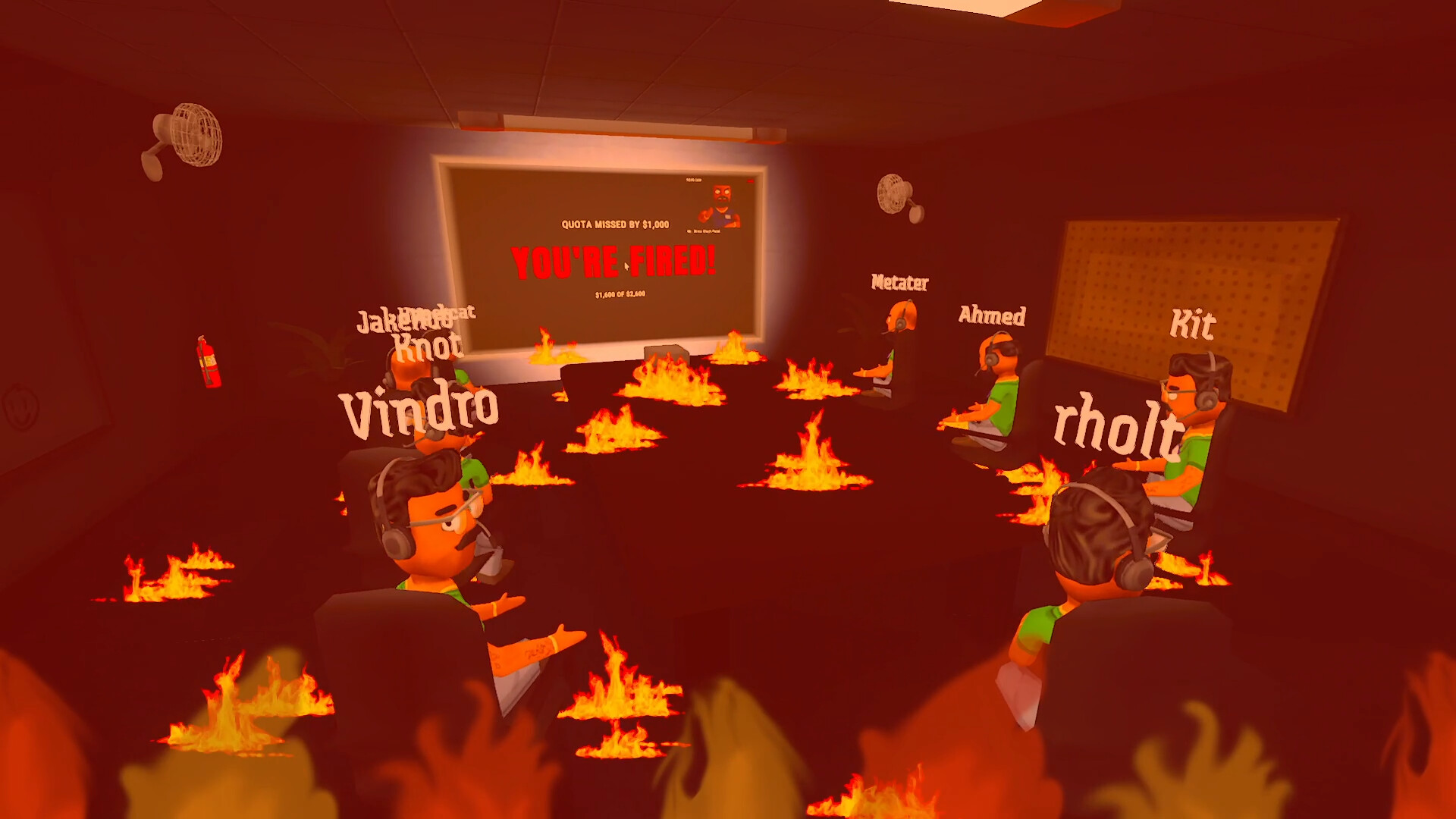
Official Steam promotional screenshot, checked 16 October 2026. Game assets remain with JakeHub, Metater, and Jatater Worldwide. Shown for editorial reference; the pictured quota and result are examples from that scene, not fixed starting values.
Know which version of the game you are looking at
Steam identifies JakeHub and Metater as the developers and Jatater Worldwide as publisher. The current listing includes single-player and online co-op, with friends or public lobbies, and describes run-based progression through increasingly chaotic workdays. It also identifies the release as Early Access. That means a dated video can be useful while still showing a different interface or balance state from your current copy.
The developer’s official website describes a daily quota and a boss review at the end of the day. An official gameplay trailer also shows the office and desktop presentation. Use these sources to recognize the loop, but do not copy a promotional screenshot’s money values or timer as a universal rule. The displayed numbers belong to that example.
Before starting a session with others, compare the version information available in your installed game and any instructions the host sees. We have not verified one universal lobby limit, invite shortcut, or save-persistence rule. Follow the current lobby interface rather than a guessed setup procedure.
Read the four signals that explain the workday
Official screenshots show a personal earnings display, a team earnings total, a quota, and a performance-review countdown. Treat these as separate pieces of information. A positive personal number does not necessarily tell you whether the team has reached its target. A busy desktop does not prove that the score has changed.
Find those signals before experimenting with extra apps. Read the team total and target together, then note how much time the review display shows. When a game action appears to finish, check the actual score feedback instead of assuming success from a conversation or animation alone. This is a game-interface check, not a technique for talking to real people.
Keep an eye on the current result after interruptions. The official description includes computer viruses, police raids, air strikes, and other exaggerated workplace disasters. It does not provide an exact event timetable. If the office becomes chaotic, regain the information you need rather than assuming the countdown paused.
Make the desktop readable before adding distractions
The promotional interface uses overlapping app windows. The phone window visibly includes a caller-state display and controls such as a hang-up button, speaker, and microphone icons. Other windows can cover part of the office view or important counters. First arrange the information you need so you can recognize the current state.
Read the current game’s tutorial and button labels for the actual input method. An icon in a screenshot is not a verified keyboard binding. Check one control at a time and confirm its effect inside the game. If something seems unresponsive, look for a covered window, an active prompt, or an ongoing transition before repeatedly clicking.
Keep optional distractions closed while learning the first workday. The Steam description specifically lists an in-game paint app, screen recorder, and camera, while screenshots show additional desktop-style apps. Their presence does not establish a requirement to open all of them to progress. Explore them later when you understand the quota loop and can identify what changed.
Choose one small objective for the first run
For a solo learning session, aim to recognize the opening target, complete the game’s own introductory instructions, and understand the review result. For a group, add one communication objective: everyone should know when a teammate needs the floor or when the review clock needs attention. Finishing that learning loop is more useful than pretending an early run must be optimal.
If you are using voice chat, test ordinary audibility before the workday becomes busy. State who is handling the current game conversation so other players do not unintentionally speak over it. This is a turn-taking convention for a multiplayer game, not a recommended script for the fictional caller scenario.
When you get stuck, name the screen you are looking at and the feedback it gives. A report such as a waiting state, a covered result, or a missing team-score change is actionable. Saying only that the game is broken does not help the group distinguish an interface issue from an unmet in-game objective.
Treat the review as feedback, not just a punchline
At the end of the day, compare the result with the information you saw during play. Did the team meet the displayed target? Was the remaining gap visible before the review? Did an interruption consume attention while nobody watched the countdown? These questions turn a failed attempt into a specific change for the next run.
The official description says missing the daily quota can lead to being fired, and an official screenshot depicts that outcome. It does not establish that every item, unlock, or purchase persists after every kind of failure. Check what the current game actually retains before building a long-term spending plan around an assumption.
Use the quota and office progression guide to compare the target, remaining time, and current purchases. Use the co-op teamwork guide if overlapping voices or unclear responsibilities are the bigger problem. They address different causes of an unsuccessful day.
A first-workday checklist
| Before | During | After |
|---|---|---|
| Read the current lobby and tutorial prompts | Keep the current task and score feedback visible | Read the actual review result |
| Locate team earnings, quota, and countdown | Avoid adding several unfamiliar apps at once | Identify one preventable source of confusion |
| Test ordinary game audio | Give the active teammate room to speak | Check what the current build retained |
| Agree who watches the review clock | Announce an office interruption briefly | Change one part of the plan for the next attempt |
You do not need a perfect performance to make this checklist useful. The aim is a shared explanation of what happened. Once the group can describe the loop, explore more of the game’s comic tools and situations without losing the basic signals that explain progress.
Keep unverified details out of your plan
We have not established a current full upgrade catalog, exact item effects, fixed quota scaling, player-cap rule, or universal controller layout. The developer’s website also mentions an unlimited-AI-credit offer for the playtest only. That is not proof of an unlimited allowance in every purchased release, so check the current store and in-game terms before relying on it.
The sources were checked on 16 October 2026. If a menu differs, record the displayed build, platform, screen label, and result when sending a correction. Do not include real personal information, account credentials, or recordings of other players without their permission. A clear game-state description is enough for an editorial correction request.
Step-by-step guide
- Read the current game state
Find team earnings, target, and review countdown rather than assuming screenshot values are fixed.
- Keep the desktop understandable
Check the current prompts and one app at a time before adding optional distractions.
- Review the workday result
Identify one preventable source of confusion and verify what the current build retained.
Video evidence
Watch creator walkthroughs alongside this guide. Check the recording date before following requirements that may have changed.
SCAM WITH YOUR FRIENDS - Official Gameplay Trailer - Run a Scam Call Center
Official developer gameplay trailer linked by Jatater Worldwide: fictional office, daily quota, spending, and boss reviews.
Sources
Recheck these links whenever the game version, release status, or strategy changes.
- Steam: exact game listing Identity, Early Access, solo/co-op modes, run progression, and official screenshots.
- Jatater Worldwide: official game page Fictional AI callers, daily quota, office presentation, trailer, and playtest-only offer wording.
- SCAM WITH YOUR FRIENDS - Official Gameplay Trailer - Run a Scam Call Center Official developer gameplay trailer linked by Jatater Worldwide: fictional office, daily quota, spending, and boss reviews.
- Scam With Your Friends (Without My Friends) Specific September playtest footage from Qwilzxy. It helps recognize the desktop and pace, but does not establish unchanged release-build rules.